
Tool // Version 1.0.0 // free
TT-REAPERMANAGER
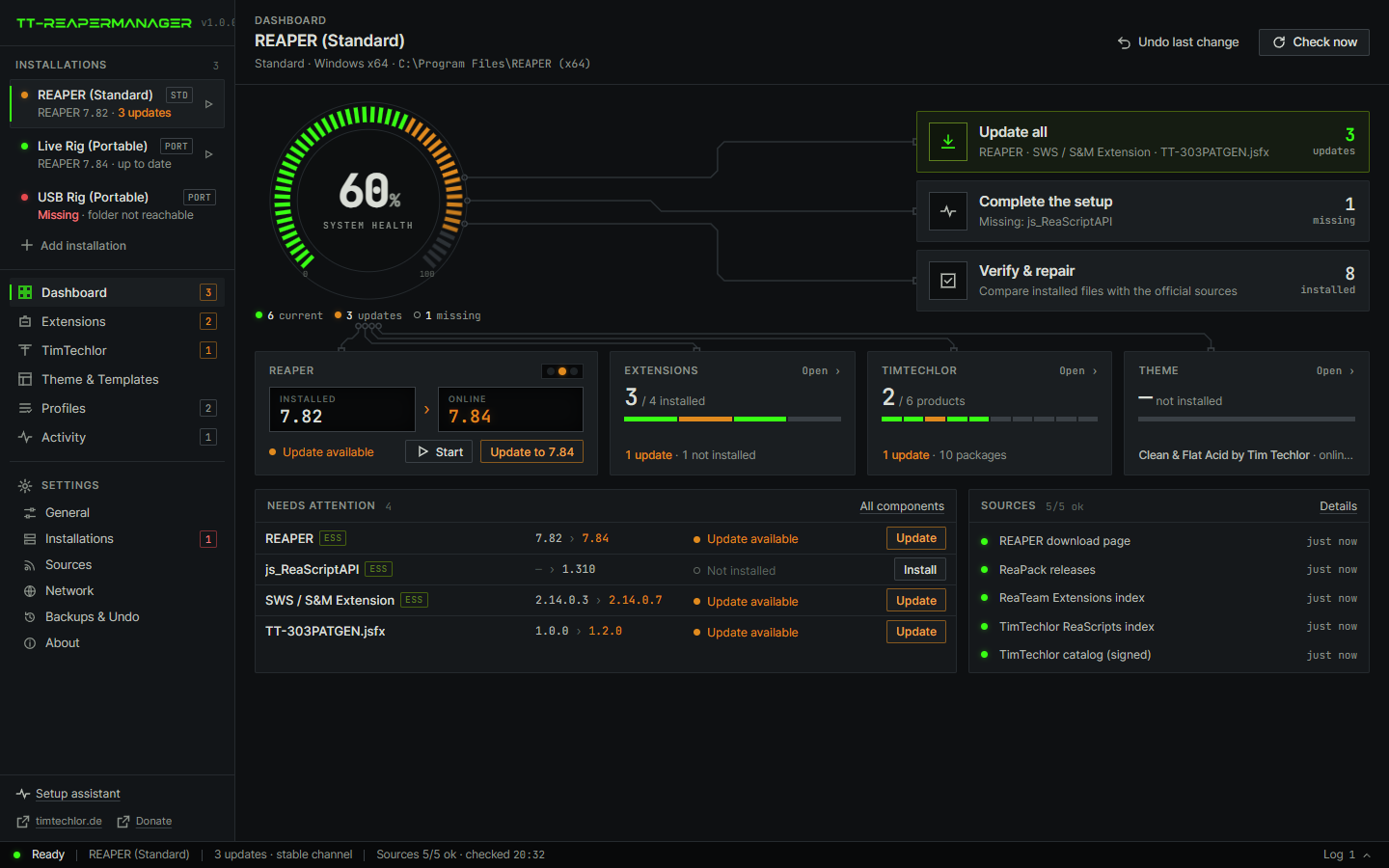
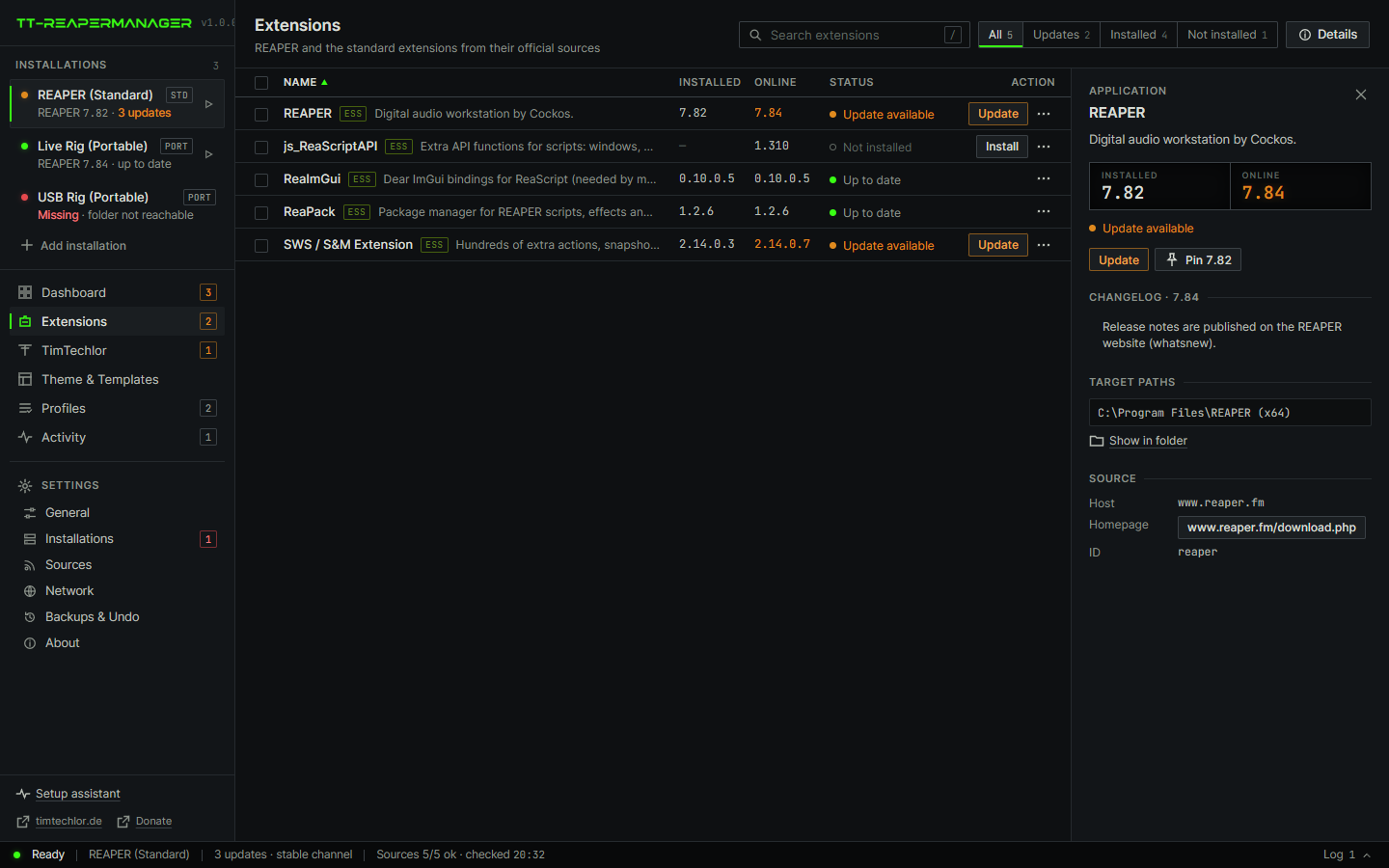
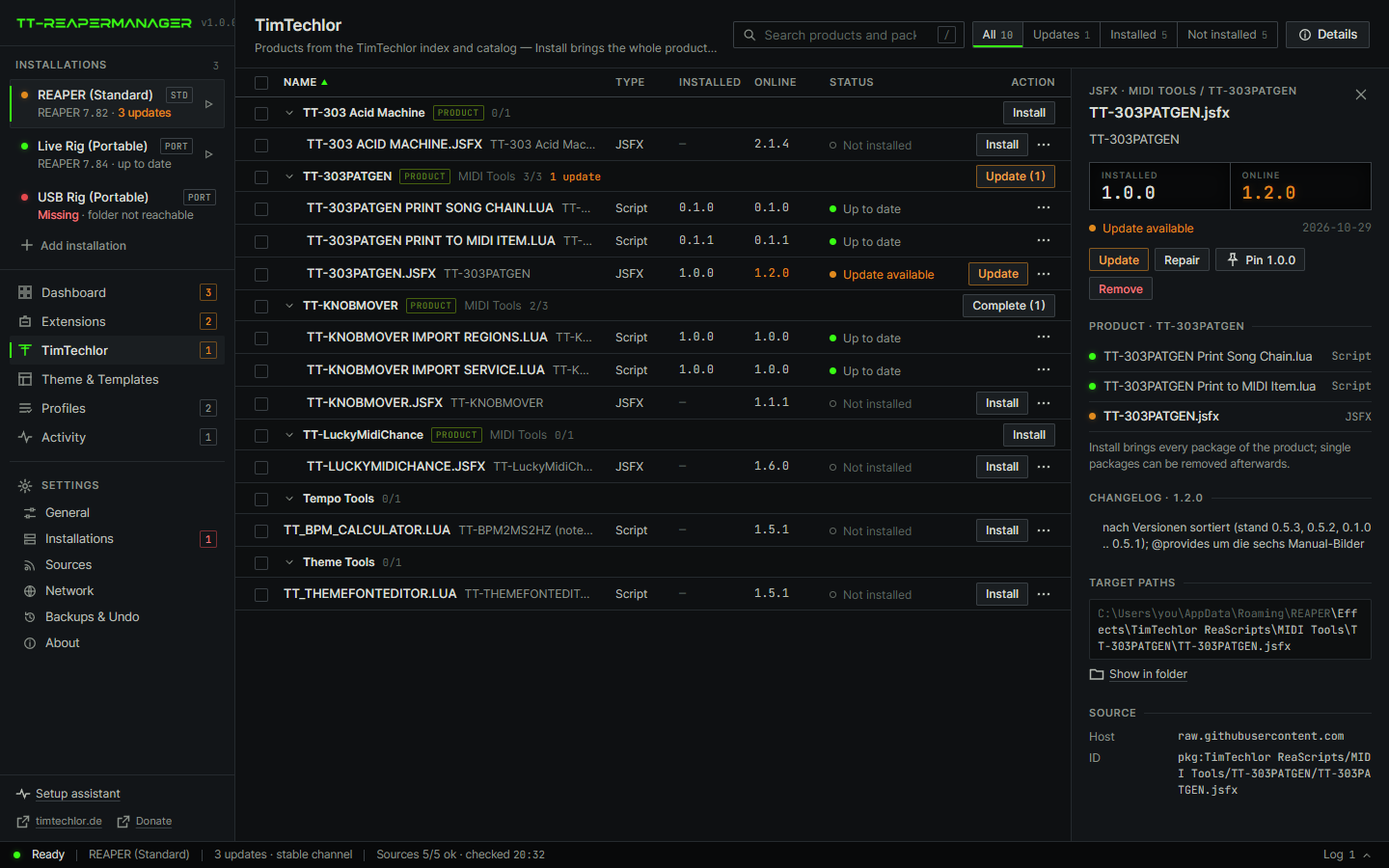
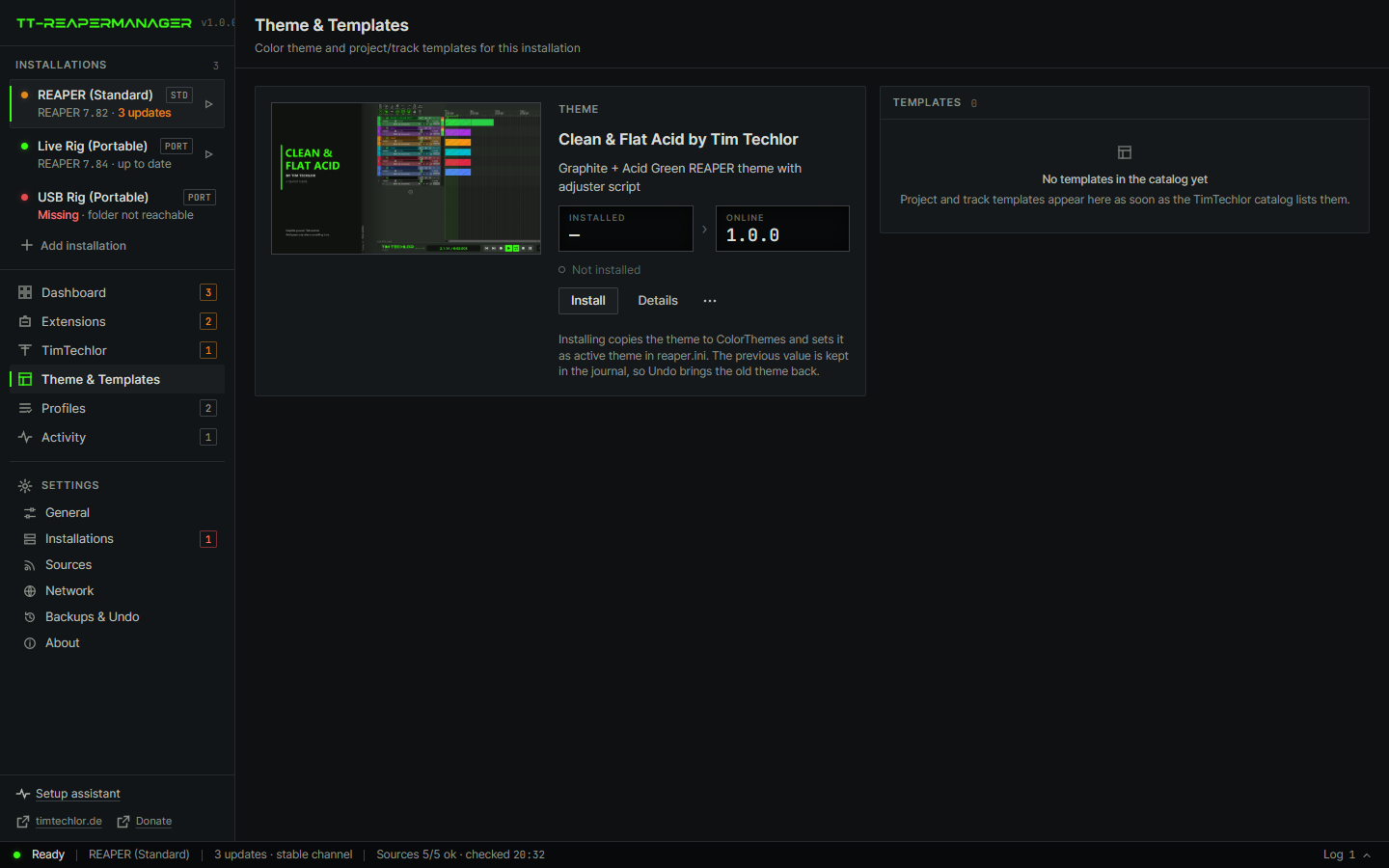
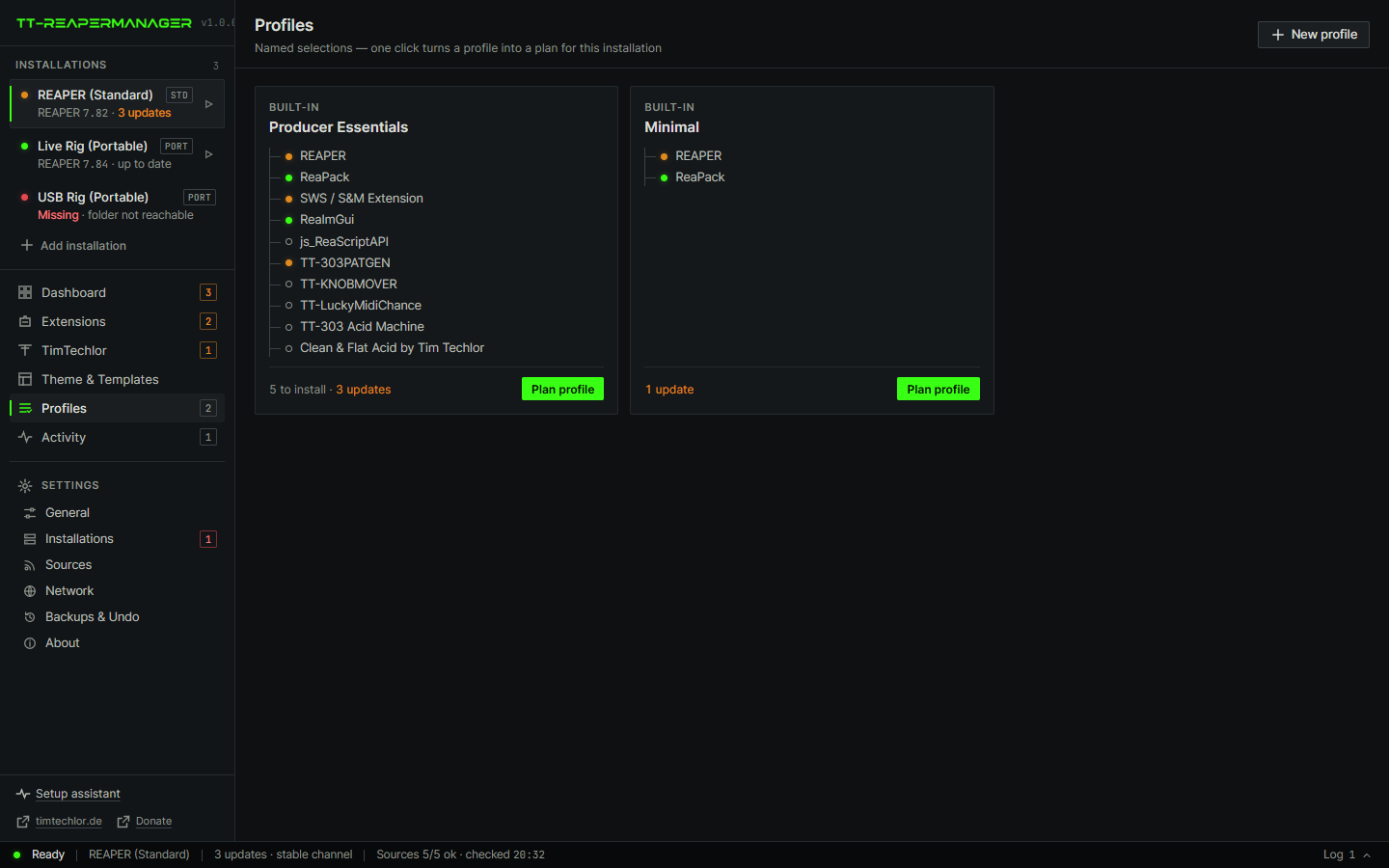
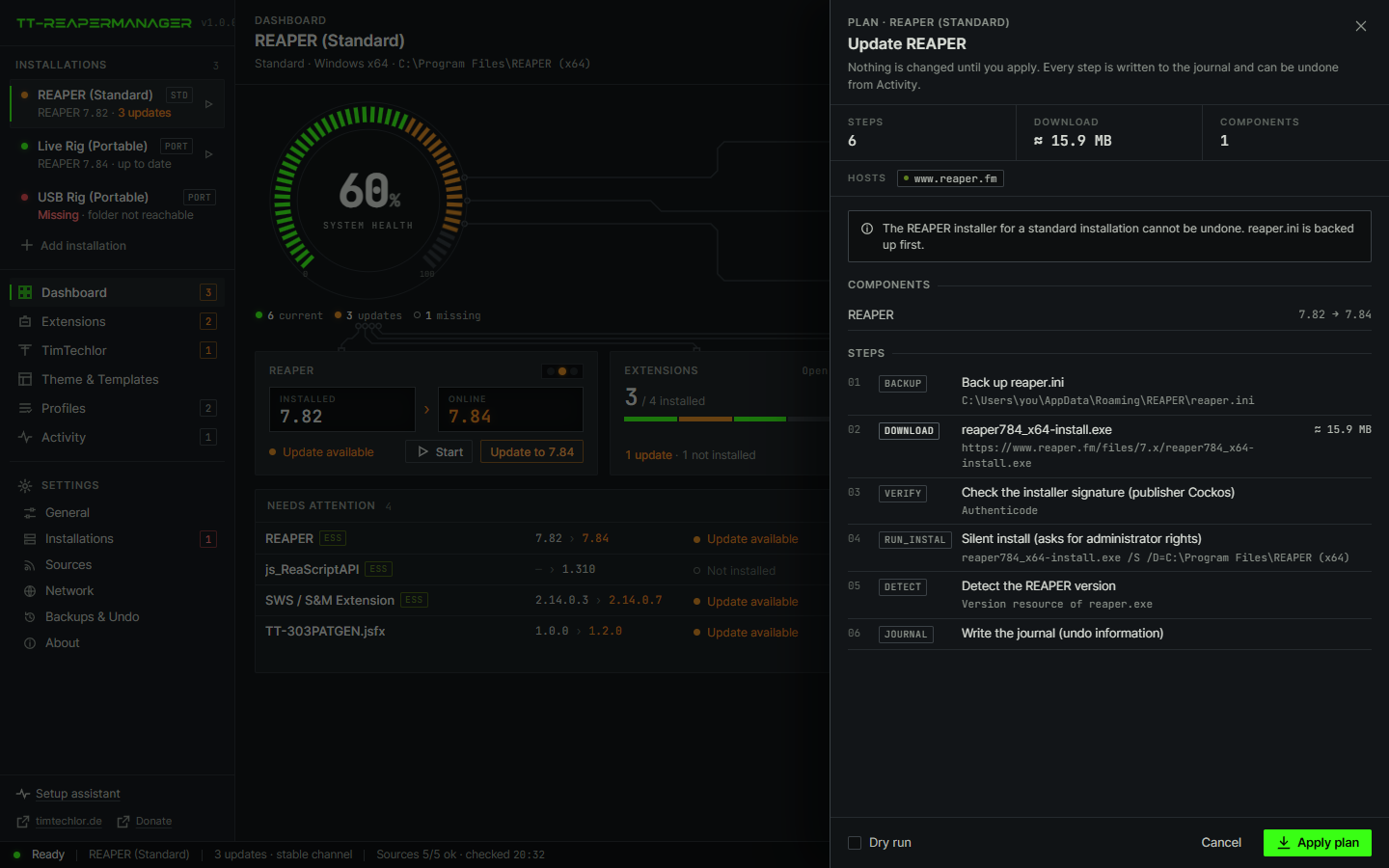
One window for the REAPER jobs that usually mean five menus and a restart. Install REAPER, add the extensions a tool needs, install one of Tim Techlor's packages, and switch the theme. You see the plan first. Then it is one click.
01
What it does
REAPER keeps the program in one folder and the themes, scripts and extensions in another. Updates arrive from reaper.fm, GitHub and ReaPack. The manager reads those sources and does the copy.
It does not replace REAPER. It does not mix a session, and it does not edit a theme by hand. The theme adjuster stays inside REAPER.
PackAcid SeasonThe sample pack, on the same site.
Plug-insToolsManuals and downloads for the Tim Techlor plug-ins.
02
Download
Pick your system. Each box has two ways to get the same program: an installer, which puts it on the computer like any other app, and a portable file, which you just start and which leaves the system as it was.
Good to know: the builds are not code-signed yet, so Windows SmartScreen or macOS Gatekeeper may ask once before the first start. The macOS builds are for Apple silicon (M1 and newer). The downloads are only offered here on timtechlor.de.
Version 1.1.1. 11 files.
Windows
Windows 10 and 11, 64-bit
InstallerTT-Reapermanager_1.1.1_x64-setup.exe5.0 MBInstalls for your user account, adds a Start menu entry and an uninstaller. No admin rights needed. The best choice for most people.
Portablett-reapermanager-windows-x86_64.exe17.9 MBOne exe. Nothing is installed and nothing is added to the system. Run it from any folder or a USB stick. Needs the Edge WebView2 runtime, which current Windows already has.
Linux
64-bit (x86_64)
Installer (.deb)TT-Reapermanager_1.1.1_amd64.deb8.7 MBFor Debian, Ubuntu, Mint and relatives. Installs through the package manager, which also fetches the libraries it needs.
Portable (AppImage)TT-Reapermanager_1.1.1_amd64.AppImage87.7 MBRuns on most distributions without installing. Make it executable once, then start it. Larger, because it carries its own libraries.
macOS
Apple silicon (M1 and newer)
Installer (.dmg)TT-Reapermanager_1.1.1_aarch64.dmg6.8 MBOpen the disk image and drag the app into Applications.
Portablett-reapermanager-macos-aarch6419.5 MBA single executable without a disk image. Make it executable once (chmod +x), then start it from where it is.
All files and checksums
Two more files are in the list. The MSI is the Windows installer for admins who roll it out to many machines. The ttrm files are the command-line version without a window. The checksum is SHA-256.
| File | What it is | Size | SHA-256 |
|---|---|---|---|
| TT-Reapermanager_1.1.1_aarch64.dmg | macOS disk image | 6.8 MB | eaa6d82f39ad895fcc1d1b0df69f907c11332cb06b9fbe7f30f145d27e13eebb |
| TT-Reapermanager_1.1.1_amd64.AppImage | Linux AppImage | 87.7 MB | 6f0f0947705cc7aa52f952f5335558d45233e867c343815188805615c7f5f53d |
| TT-Reapermanager_1.1.1_amd64.deb | Linux package (.deb) | 8.7 MB | 88387ff3aed63fb41239262a18e54d00dd1b9c3aff98c9d6f39180990483ddc2 |
| TT-Reapermanager_1.1.1_x64-setup.exe | Windows installer | 5.0 MB | 4427395597bdef7079fc905740f79ecd5e37ba3093b74544272e17dc3792d4ee |
| TT-Reapermanager_1.1.1_x64_en-US.msi | Windows MSI | 6.9 MB | 5b3024c288fcc359f4d30fb7d46c9408442e2f3228127adfa0328b05a57cd55f |
| tt-reapermanager-linux-x86_64 | Linux app | 26.1 MB | b24d9a33f35e17de411ff3c52da9c181977f3f9495d6f2019097f0ea6f07a443 |
| tt-reapermanager-macos-aarch64 | macOS app | 19.5 MB | 6b422865a81b07efcaf1ccb819f4366b9f3b0d4f77accf176d3656a5af49b2f0 |
| tt-reapermanager-windows-x86_64.exe | Windows app, no installer | 17.9 MB | ba970c6a35a720994bf19edb4f326200ca441c457c1fa8a2d6c157a58a84b2b8 |
| ttrm-linux-x86_64 | Linux command line | 8.8 MB | a346523f1cb74cd144e670eb68465adca855b0e7a090c8fef59aca45bed6fc69 |
| ttrm-macos-aarch64 | macOS command line | 6.9 MB | e9e39b2ff75264d969ded61c46a380504cdbca75842fdbd0e8f3ad9c55906167 |
| ttrm-windows-x86_64.exe | Windows command line | 6.3 MB | 5ae77c00d9e166bcbfdc14e7467448557e6a7c6cc920569049923a9d9d9a2418 |
Support // Free tools
The tools stay free
TT-REAPERMANAGER and the Tim Techlor scripts cost nothing. If they save you time in REAPER, a tip helps me keep building them. Any amount is fine, and nothing changes if you skip it.
03
First start
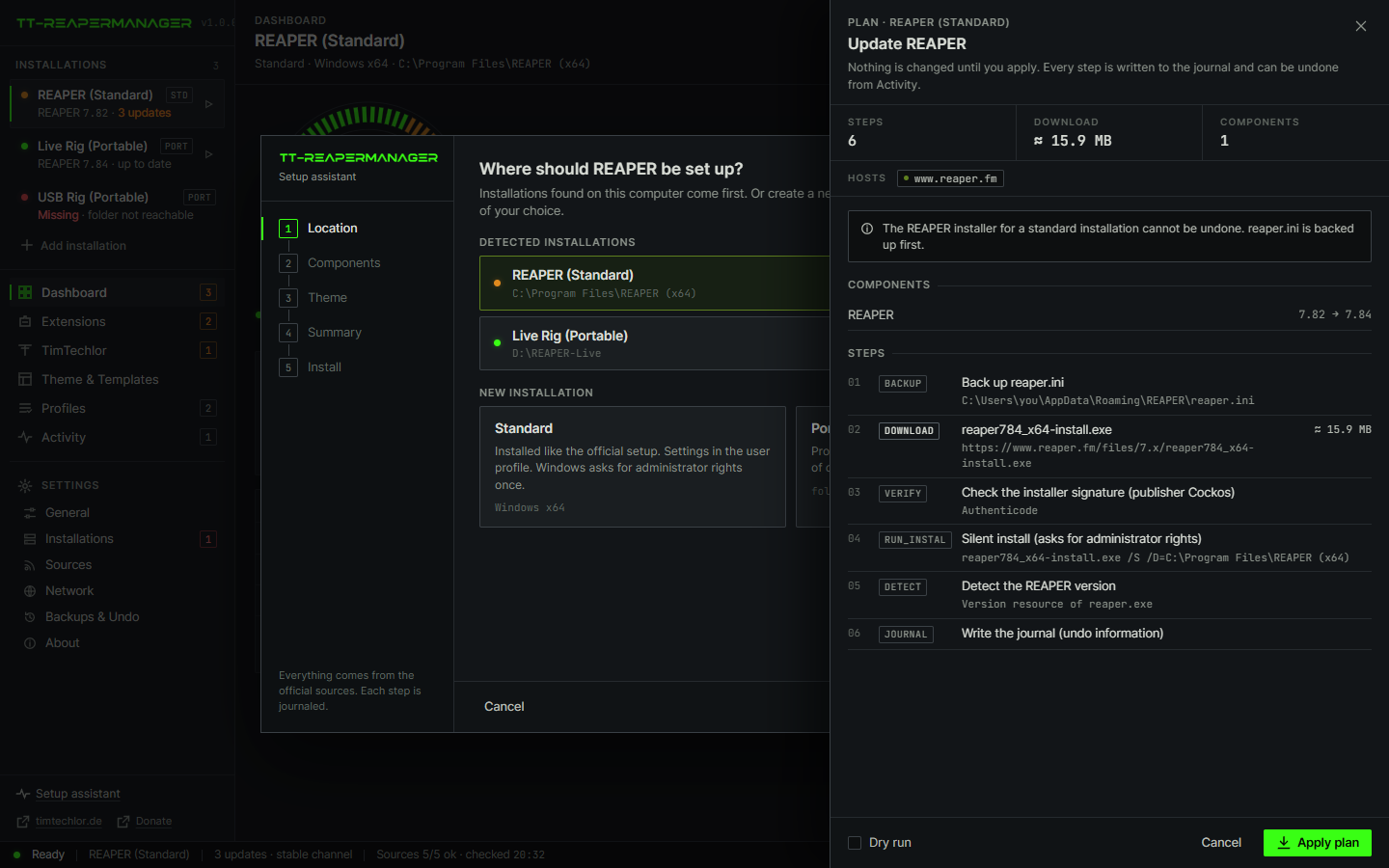
- Open TT-REAPERMANAGER. It lists the REAPER installations it already found. Add a portable folder if you use one.
- Leave the recommended extensions on. Turn the theme on if you want Clean & Flat Acid.
- Read the plan. It names every file and every download host. Then confirm.
- In REAPER, choose the theme under Options, Themes, if you did not let the manager activate it.
REAPER comes from reaper.fm. ReaPack and the ReaTeam extensions come from their public repositories. Tim Techlor's packages, including the theme, come from the Tim Techlor ReaPack index.